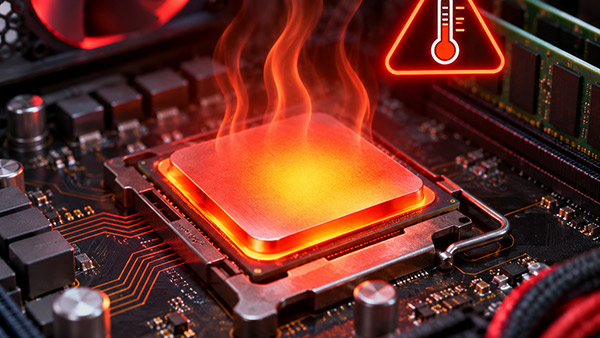
How Long Can a CPU Run Without a Heatsink? Overheating Time and Thermal Risks
KINGKA
How long can a CPU run without a heatsink? There is no universally safe operating time. A conventional desktop or server CPU may power on briefly without a heatsink, but its temperature can increase rapidly, potentially triggering thermal throttling or automatic shutdown. Some processors may stop operating almost immediately, while others may continue briefly depending on power consumption, temperature, firmware settings, and built-in protection mechanisms.
Importantly, surviving a short period without cooling does not mean the processor was operating safely.
Modern CPUs generate substantial heat, and their integrated heat spreaders are generally not designed to replace a complete cooling solution.
For computer builders, industrial equipment engineers, and OEM manufacturers, understanding CPU overheating behavior is essential for preventing hardware damage and developing reliable thermal management systems.
This guide explains what determines CPU overheating time, how processors respond to excessive temperatures, and why selecting an appropriate CPU heatsink is important for stable operation.
How Many Seconds Can a CPU Run Without a Heatsink?
A common question is whether a processor can safely operate for 5, 10, or 30 seconds without a heatsink.
The answer is that none of these durations can be considered universally safe.
CPU overheating time varies considerably depending on the processor architecture and operating conditions.
A high-power desktop CPU may experience a rapid temperature increase without proper heat dissipation. Thermal protection may activate before the operating system finishes loading.
In other cases, a low-power processor may tolerate brief operation because it generates less heat or uses a different thermal management architecture.
However, the ability to remain powered on does not establish that operation is safe.
CPU Operation Without a Heatsink: Different Conditions
Operating Condition
Expected Behavior
Safety Assessment
Modern high-power desktop CPU
Rapid heating; throttling or shutdown may occur
Unsafe
Server CPU under significant load
High thermal load; protective responses may activate
Unsafe
Desktop CPU during BIOS startup
Temperature can rise rapidly even at relatively low utilization
Not recommended
Low-power embedded processor
Behavior depends on package, power, and system-level thermal design
Requires validated cooling
CPU with a properly installed passive heatsink
May operate safely if the design provides adequate cooling
Application-dependent
CPU with a heatsink but failed fan
Temperature may rise depending on heat load and passive cooling capability
Requires immediate evaluation
These are qualitative comparisons, not guaranteed operating durations.
The recommended safe duration for deliberately running a conventional desktop or server CPU without its required heatsink is zero seconds.
Why Does a CPU Overheat So Quickly Without a Heatsink?
A CPU contains billions of transistors that switch electrical states during operation.
These activities generate heat through electrical losses inside the semiconductor structure.
The rate of heat generation depends on processor power consumption, workload, frequency, voltage, and power management behavior.
Without a suitable heatsink, much of this heat remains concentrated around the processor die and package.
1. High Heat Generation in a Small Area
Modern processors can generate significant thermal power within a relatively small semiconductor area.
This creates a high heat flux that must be transferred efficiently away from the processor.
Although the CPU package and integrated heat spreader help distribute heat, they provide limited heat rejection capacity without a connected cooling assembly.
2. Limited Thermal Mass
The processor die and package have finite thermal capacity.
When heat is generated faster than it can be removed, the internal temperature increases.
Because the heat-generating regions are relatively small, critical temperatures can be approached rapidly under unfavorable conditions.
3. Insufficient Heat Transfer Surface Area
A heatsink increases the surface area exposed to the surrounding environment.
Without its cooling fins, the processor has much less effective surface area for transferring heat into the air.
This reduces the ability of the system to reject heat.
4. Poor Heat Dissipation Without Airflow
In typical desktop computers, a fan moves air across the heatsink fins.
Without a heatsink, the fan cannot provide the same effective conductive path from the CPU die to an extended cooling surface.
Direct airflow over the processor package is generally insufficient for normal operation of a conventional desktop CPU.
What Factors Determine How Long a CPU Can Operate Without Cooling?
Several factors influence the speed at which CPU temperatures rise.
CPU Power Consumption
Processor power is one of the primary factors affecting heat generation.
Higher power consumption generally results in greater thermal energy that must be removed.
For example, a high-performance processor operating at an elevated power limit creates a much greater cooling challenge than a low-power embedded processor.
However, power consumption alone cannot predict the exact time required to reach a thermal protection threshold.
Initial CPU Temperature
A processor starting at a relatively low temperature may have more thermal margin than one that is already hot.
This does not make uncooled operation safe.
It only affects the initial thermal conditions.
Processor Thermal Mass
The die, integrated heat spreader, package, and surrounding materials store some thermal energy.
Their combined thermal capacity affects the rate of temperature change.
Processor Protection Technology
Modern processors monitor internal temperatures and may adjust operating power and frequency.
These mechanisms influence how a system responds to overheating, but they cannot replace proper cooling hardware.
Workload and Power Management
A CPU running intensive calculations may generate more heat than one operating at low utilization.
However, even during startup, a processor can experience transient power consumption and rapid temperature changes.
Ambient Temperature
Higher ambient temperatures reduce the available temperature difference between the processor and its surroundings.
This can make cooling more difficult, particularly in enclosed industrial equipment.
What Happens When a CPU Reaches Its Temperature Limit?
Modern processors commonly incorporate several mechanisms designed to respond to excessive temperatures.
The exact behavior depends on the CPU model and platform configuration.
Stage 1: Temperature Monitoring
Integrated thermal sensors monitor processor temperatures during operation.
These sensors provide information used by the processor's thermal and power management systems.
Stage 2: Thermal Throttling
As the CPU approaches its specified thermal threshold, it may reduce frequency, voltage, or power consumption.
This behavior is known as CPU thermal throttling.
Reducing processor power helps limit heat generation.
However, thermal throttling may reduce computing performance and cause inconsistent processing speeds.
Stage 3: Thermal Protection Shutdown
If temperatures cannot be adequately controlled, the processor or system may initiate a protective shutdown.
This is intended to reduce the likelihood of permanent damage.
However, not every system responds identically, and protective mechanisms do not guarantee that damage is impossible.
Stage 4: Possible Hardware Damage
Excessive thermal exposure can create conditions that damage semiconductor components or associated hardware.
The risk depends on temperature, exposure duration, processor design, and protection mechanisms.
For this reason, thermal protection should be treated as a safety mechanism rather than an alternative to an adequate cooling system.
Can a Modern CPU Protect Itself Without a Heatsink?
Modern CPUs include sophisticated thermal management features.
For example, Intel processors use internal thermal controls that can reduce operating power when temperature limits are approached.
If those controls cannot maintain acceptable conditions, the system may shut down automatically.
AMD also emphasizes that proper processor cooling is essential and that damage may occur quickly when a processor is powered on without a heatsink.
Although modern protection technologies significantly reduce overheating risks, they do not make deliberate operation without cooling advisable.
A CPU shutting down before visible damage occurs is not proof that operating without a heatsink is safe.
For computer manufacturers, thermal management should always be designed to support normal operation without depending on emergency shutdown mechanisms.
Can a CPU Run Without a Fan if It Has a Heatsink?
Yes. A CPU may operate safely without a dedicated fan if it has a properly designed passive cooling solution.
This is different from operating without a heatsink.
A passive heatsink transfers heat from the processor to the surrounding environment primarily through natural convection and thermal radiation.
Passive CPU Cooling Applications
Passive cooling can be suitable for:
Low-power embedded processors
Fanless industrial computers
Industrial monitoring equipment
Compact electronic controllers
Certain telecommunications devices
Specialized low-power computing systems
The heatsink must provide enough surface area and suitable thermal performance to maintain acceptable processor temperatures.
When Is Fan-Assisted Cooling Necessary?
Forced-air cooling is often appropriate when processor power, enclosure space, or ambient temperature conditions make passive cooling insufficient.
A fan increases airflow through the heatsink, improving convective heat transfer.
However, fan selection must account for fin spacing, airflow resistance, and actual system operating conditions.
For higher-power applications, other technologies, including heat pipes or liquid cooling, may also be considered.
What Is the Difference Between Running a CPU Without a Heatsink and Without a Fan?
These two situations are frequently confused.
Without a heatsink, the processor loses an important conductive path for transferring heat to the surrounding environment.
Without a fan, an installed heatsink may still remove some heat through natural convection.
Comparison
Without a Heatsink
Without a Fan
Thermal contact to cooling fins
Missing
Present if heatsink installed
Heat transfer surface area
Very limited
Provided by heatsink
Passive cooling capability
Generally inadequate for desktop CPUs
Depends on heatsink design
Risk of overheating
Very high
Depends on power and cooling conditions
Suitable for continuous operation
Not for conventional CPUs requiring a heatsink
Possible with validated passive cooling
Main engineering concern
Missing thermal conduction and dissipation path
Insufficient convective airflow
For low-power industrial systems, a properly designed passive heatsink may be preferable to fan-assisted cooling when low noise and reduced moving parts are important.
How to Tell Whether a CPU Has Overheated
A processor that has experienced insufficient cooling may display several symptoms.
Common warning signs include:
Unexpected system shutdowns
Automatic restarts
Significant performance reductions
Frequent thermal throttling
CPU temperature warnings
System instability under load
However, these symptoms are not exclusive to overheating.
Software issues, unstable power delivery, memory errors, and other hardware faults can produce similar behavior.
What Should You Do If a CPU Was Powered On Without a Heatsink?
If a conventional CPU was accidentally powered on without its required heatsink, shut down the system immediately.
Do not continue operating the processor to determine how long it can survive.
After the system is powered off and has cooled:
Disconnect the system from electrical power.
Inspect the processor, socket, and mounting hardware for obvious damage.
Install a compatible heatsink with the appropriate thermal interface material.
Secure the heatsink according to the processor and cooler manufacturer's instructions.
Connect the cooling fan if the assembly requires one.
Verify that the cooling system is correctly installed before restarting.
Monitor processor temperatures during subsequent operation.
If the system remains unstable after proper cooling has been restored, further hardware diagnostics may be necessary.
Why Is Heatsink Thermal Resistance Important?
Thermal resistance is an important parameter when evaluating CPU cooling solutions.
It describes the relationship between heat flow and the resulting temperature difference.
A simplified heatsink-to-ambient thermal resistance equation is:
extruded aluminum heatsinks are commonly used in electronic cooling because they provide a practical balance of thermal performance, weight, manufacturing flexibility, and production cost.
The manufacturing process forms aluminum through a die to produce a consistent profile with integrated cooling fins.
Advantages include:
Good thermal conductivity
Lightweight construction
Repeatable profile geometry
Customizable fin dimensions
Compatibility with CNC machining
Cost-effective repeat production
For industrial computers and electronic equipment, custom extrusion profiles can be designed around specific installation dimensions and airflow requirements.
A conventional air-cooled heatsink may not always provide sufficient thermal performance for high-power processors or densely packed electronic systems.
In these situations, liquid cooling may be considered.
A liquid cold plate transfers heat from the processor or electronic component into a circulating coolant.
The coolant then transports heat to a separate heat rejection system.
Liquid cooling may be appropriate when:
Processor power is high.
Available airflow is restricted.
Heat must be transported away from a compact assembly.
Several high-power components require coordinated cooling.
Air-cooled heatsink dimensions exceed the available space.
However, liquid cooling introduces additional system components, such as pumps, fittings, tubing, and heat exchangers.
The complete solution must be evaluated for pressure drop, cooling performance, reliability, and maintenance requirements.
Custom CPU Cooling Solutions for Industrial and OEM Applications
Industrial computers and specialized electronic systems may require cooling components with non-standard dimensions, mounting structures, or thermal characteristics.
For these applications, a custom heatsink can be developed around the equipment's mechanical and thermal requirements.
KINGKA manufactures thermal management components for OEM applications, including:
Aluminum profiles with integrated fins, customizable dimensions, and CNC-machined mounting features.
Aluminum and Copper Skived Fin Heatsinks
High-density fin structures for specialized thermal requirements.
Precision CNC-Machined Cooling Components
Custom bases, mounting interfaces, and other thermal components manufactured according to technical drawings.
Custom Liquid Cold Plates
Liquid cooling components for high-power electronic systems requiring alternative heat transfer solutions.
These manufacturing options allow equipment designers to select thermal components based on heat dissipation requirements, available installation space, and production quantities.
What Information Should OEM Buyers Provide?
When requesting a custom heatsink quotation, important information includes:
Processor or heat source specifications
Sustained and peak power dissipation
Maximum allowable operating temperature
Expected ambient temperature range
Available heatsink dimensions
Airflow conditions and cooling method
Preferred aluminum or copper materials
Mechanical drawings and mounting requirements
Prototype and production quantities
Providing complete specifications helps the manufacturer evaluate suitable materials, fin structures, and manufacturing methods.
Frequently Asked Questions
How long can a CPU run without a heatsink before overheating?
There is no universal time limit. Some processors may reach their thermal protection thresholds very rapidly without adequate cooling. The exact behavior depends on CPU power, thermal design, initial temperature, and built-in protection mechanisms.
Can a CPU survive 10 seconds without a heatsink?
Some CPUs may remain operational for 10 seconds, while others may throttle or shut down sooner. Ten seconds is not a guaranteed safe duration, and deliberately testing this is not recommended.
Will a CPU die immediately without a heatsink?
Not necessarily. Modern processors often include thermal protection features. However, excessive temperatures can still create a risk of damage, and a CPU should not be operated without the required cooling solution.
Can a CPU run for 30 seconds without a heatsink?
It is possible for some processor configurations to remain powered on for that period, but there is no guarantee. Running a conventional CPU without proper cooling for 30 seconds is unsafe and not recommended.
Can I enter BIOS without a CPU heatsink?
You should not intentionally enter BIOS with the required heatsink removed. Processors still generate heat during firmware startup, and thermal protection may activate.
Can thermal paste keep a CPU cool without a heatsink?
No. Thermal paste improves thermal contact between the processor and the heatsink. It does not provide sufficient heat dissipation by itself.
What happens if the CPU fan stops spinning?
The processor may continue operating temporarily if the installed heatsink provides sufficient passive cooling, but temperature may increase. Depending on the system, thermal throttling or shutdown may occur.
Can a CPU operate without a fan?
Yes, if it has an appropriately designed passive cooling system. The thermal design must be validated for the processor power and operating environment.
Is an aluminum heatsink sufficient for CPU cooling?
An aluminum heatsink can provide effective CPU cooling when properly sized and integrated. Actual performance depends on processor heat load, fin geometry, contact resistance, and available airflow.
Are modern CPUs protected from overheating?
Modern processors commonly include thermal throttling and shutdown mechanisms. These reduce overheating risks but do not replace the need for proper cooling.
Which is better for CPU cooling: an extruded or skived fin heatsink?
Neither is universally better. Extruded aluminum heatsinks are often economical for repeatable cooling profiles, while skived fin designs can provide thin, high-density fins for specialized applications. Selection depends on thermal, mechanical, and production requirements.
How long can a CPU run without a heatsink? There is no guaranteed safe duration. A conventional desktop or server CPU can overheat rapidly without adequate cooling, and its thermal protection mechanisms may activate before normal operation is possible.
Although modern processors use thermal throttling and protective shutdown features, these mechanisms should never be treated as substitutes for a properly installed heatsink.
The safest approach is to install a compatible cooling solution before powering on the processor.
For industrial and OEM applications, reliable CPU cooling requires appropriate material selection, fin geometry, thermal resistance, airflow, and mechanical integration.
A properly designed aluminum or copper heatsink helps maintain processor temperatures and supports long-term equipment reliability.
Looking for a Custom CPU Heatsink Manufacturer?
KINGKA provides custom extruded aluminum heatsinks, skived fin heatsinks, CNC-machined thermal components, and liquid cold plates for industrial computing and electronic cooling applications.
Whether your project requires a lightweight aluminum heatsink, a high-density fin structure, or a custom liquid cooling component, KINGKA can support manufacturing discussions based on your specifications and drawings.
Contact KINGKA to discuss your custom heatsink project and request a quotation.
Kingka Tech Industrial Limited
We specialize in Heat Sink、Liquid Cold Plate、precision CNC machining and our products are widely used in telecommunication industry, aerospace, automotive, industrial control, power electronics, medical instruments, security electronics, LED lighting and multimedia consumption.